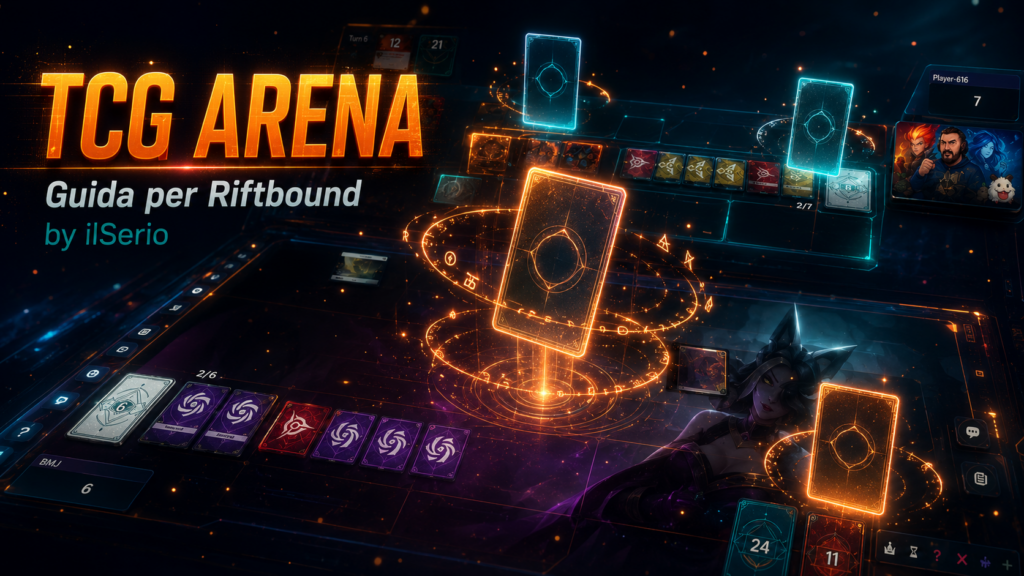
How to use TCG Arena for Riftbound TCG
📺 Guide by ilSerio — follow him live on Twitch.
TCG Arena is a free web simulator for playing Riftbound online. This guide walks you through it step by step: from importing the game to your first match with a friend.
1. What TCG Arena is and how to import Riftbound
TCG Arena (tcg-arena.fr) is a free web simulator that supports several TCGs. To use it with Riftbound you first have to select the right game, because by default it may show a different TCG.
- Go to tcg-arena.fr in your browser — no download or sign-up needed.
- At the top of the page you'll find the game selector. Click it and look for Riftbound in the list.
- Select Riftbound: the playmat, the card database and the deckbuilder will update automatically.
- You can now import decks and start Riftbound games.
⚠️ Watch out: if you skip this step the cards and playmat will be from another game. Always check the selected game before you start.
2. Importing a deck from Riftbound.zone and other sites
The main sites where you can find decks are riftbound.zone, riftbound.gg and riftbotarena.com. All three let you export the list as text compatible with TCG Arena.
From riftbound.zone:
- Open the deck you want on riftbound.zone.
- Look for the "Export", "Text" or "Copy Deck List" button and click it. The text is copied to your clipboard.
- On TCG Arena (with Riftbound already selected) go to Decks → Import.
- Paste the text and click Import to confirm.
- The deck appears in your list, ready to use.
If a card isn't recognized (e.g. from a recent expansion), replace it manually in the deckbuilder.
Building a deck from scratch:
- Go to Decks → New Deck on TCG Arena.
- Search for cards by name, type or domain and add them.
- The correct structure is: 1 Legend + 1 Chosen Champion + 40 Main Deck cards + 12 Runes.
3. Turn structure — the ABCD system
Every turn follows four phases. TCG Arena automates some of them.
- A — Awaken: all exhausted cards return to Ready. Automatic, you don't have to do anything.
- B — Beginning: score 1 point for each Battlefield you control.
- C — Channel: then Channel 2 Runes from the Rune Deck.
- D — Draw: draw 1 card from the Main Deck. Often automatic; if it doesn't, click the deck.
⚠️ Watch out: the Rune pool empties at the end of the turn. Unspent Energy and Power are lost.
4. Exhausting and readying cards (Exhaust / Ready)
Cards can be Ready (upright, usable) or Exhausted (turned sideways, already used).
A left click on the card toggles between Exhausted and Ready: one click exhausts it, another click readies it.
You don't need to ready cards manually at the start of the turn: the Awaken phase is automatic. You'll only ready by hand if a special effect requires it during the turn.
5. Paying with Runes — Energy and Power
Energy cost (number in the top-left): paid by exhausting Runes. Click the Runes on the field once each to exhaust them, until you cover the required number.
Power cost (domain icon below the Energy): to pay it, click directly on the icon/number in the top-left of the card you want to play. TCG Arena will automatically send a Rune of the correct domain to the bottom of the Rune Deck (Recycle).
You can use the same Rune to pay both Energy and Power together: exhaust it with one click, then also use it for the Recycle.
6. How to draw cards
Drawing the first card of the turn happens automatically — TCG Arena handles it without your input.
If a card or effect asks you to draw extra cards (for example Discipline), simply click the Main Deck as many times as the cards you need to draw.
The same applies to Runes: to Channel Runes manually, click the Rune Deck.
7. Creating Tokens
Some cards generate Tokens when played or activated. On TCG Arena you have two ways to create them:
Method 1 — from the bottom-left icon:
- In the bottom-left of the interface there's an icon to add cards (the last one in the bar). Click it.
- A search bar opens: type the token's name, for example "Bird" or "Recruit".
- Select the token from the results and it's added to the field.
Method 2 — from the card that generates the token:
- Right-click the card that should generate the token.
- The matching token appears in the bottom-right of the screen, with a semi-transparent + over it.
- Click the token with the + to add it to the field.
Destroyed tokens don't return to the deck: remove them manually by dragging them to the Trash.
8. Quick shortcuts
- Left click on the card — Exhaust or Ready
- Click the Main Deck — Draw a card
- Click the Rune Deck — Channel a Rune
- Click the icon in the top-left of the Rune — Pay the Power cost (automatic Recycle)
- Drag the card to the Trash — Send the card to the graveyard
- Right click → Bottom of Deck — Send the card to the bottom of the deck
- Right click → Remove — Exile the card from the game
- Left click on an opponent's card → Ping — Visually flag the card to your opponent
- Right click → Add Counter — Add a counter (damage, buff, etc.)
- Hover the mouse over the card — Show the enlarged preview
9. Starting a game with a friend
- Select the deck you want to use from your list.
- Go to Play → New Game.
- Copy the Game ID that appears and share it with your opponent (Discord, chat, etc.).
- Your opponent goes to Join Game, pastes the code and connects.
- Once you're both connected, the game starts.
⚠️ Remember: TCG Arena does not enforce the rules automatically. You and your opponent manage move legality — exactly like in a physical game.
Test yourself
Question 1What is the first thing to do on TCG Arena to play Riftbound?
Question 2According to the guide, what is the correct structure of a Riftbound deck?
Question 3What happens during the A — Awaken phase of the ABCD system?
Question 4In the ABCD system, how many Runes are Channeled in the C — Channel phase?
Question 5What does a left click on a card on the field do?
Question 6How do you pay a Power cost on TCG Arena?
Question 7If an effect like Discipline asks you to draw extra cards, what do you do?
Question 8In Method 2 for creating a Token, which action makes it appear?
Question 9Which shortcut is used to exile a card from the game?
Question 10To start a game with a friend, what must you share with your opponent?
Comments
Log in to comment.